Understanding Video Capture: Basics Explained
What is Video Capture?
Video capture is the process of converting an incoming digital or analog video signal into a format that can be stored or broadcasted on various platforms. This technology is essential for a wide range of applications, from professional filmmaking and documentation to social media content creation. Essentially, video capture takes a live feed or a previously recorded video and makes it accessible for editing, streaming, or archiving.
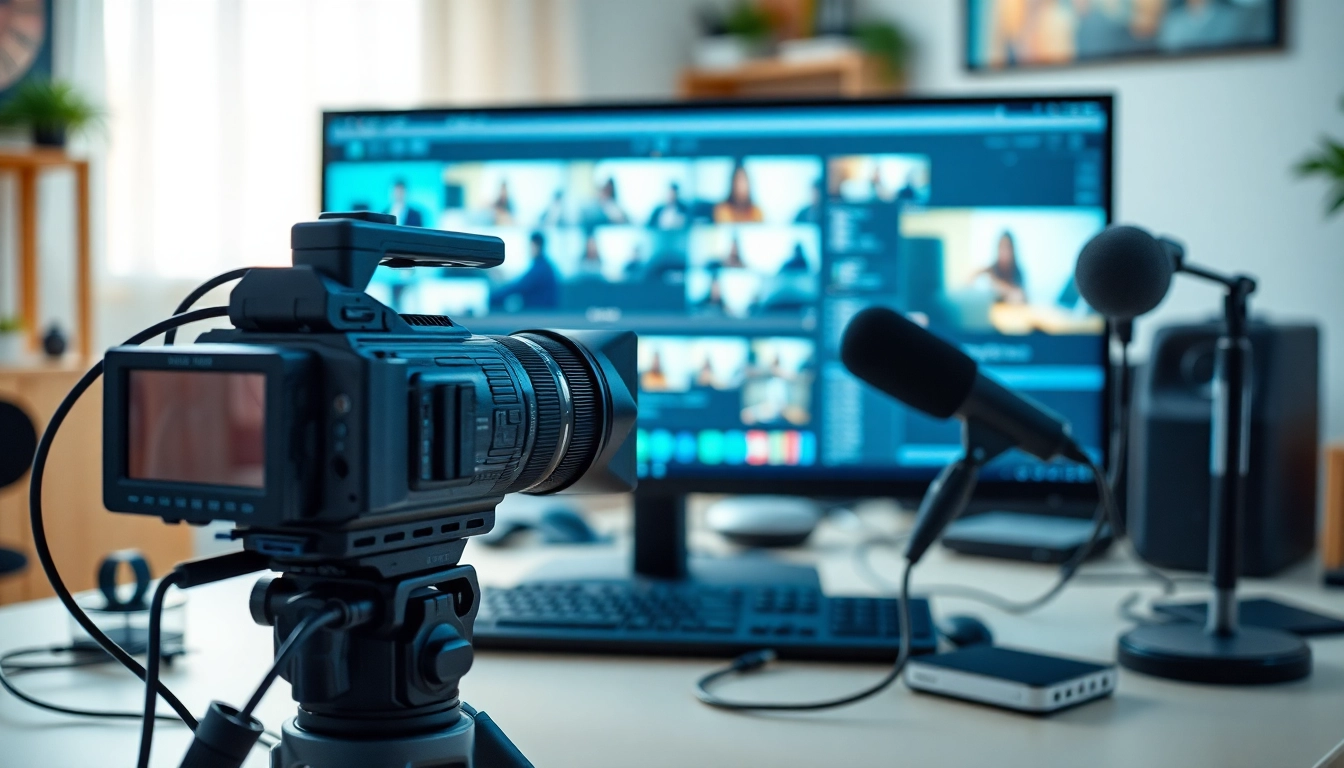
The essence of video capture involves using hardware and software tools to receive the video signal from sources such as cameras, gaming consoles, and even computers. The output can be stored digitally or broadcasted live, making video capture a versatile solution in today’s digital age. Whether aiming to capture memories from family gatherings or creating high-quality content for educational or entertainment purposes, mastering video capture is crucial for anyone involved in visual media.
The Importance of Quality in Video Capture
The quality of video capture is paramount since it affects the clarity, detail, and overall experience for viewers. High-quality video captures are essential for several reasons:
- Viewer Engagement: The clearer and more professional the video, the more likely it is to engage and retain viewers. High definition is preferred for podcasts, webinars, and social media videos.
- Brand Perception: Poor video quality can reflect negatively on a brand or individual. High-quality productions convey professionalism and credibility.
- Usability: High-quality footage allows for better editing flexibility. Maintaining quality throughout the editing process is crucial, especially in post-production effects and transitions.
Investing in quality video capture equipment and software is a crucial step that should not be overlooked, especially in an increasingly digital world where content is critical to success.
Types of Video Capture Devices: Overview
Understanding the different types of video capture devices is essential for selecting the right equipment for your needs. Here are the primary categories:
- Capture Cards: These devices are commonly used to record gameplay or streaming video from consoles and PCs. They take the video feed and convert it into a digital format for editing or displaying.
- USB Video Capture Devices: Perfect for digitizing vintage tapes or integrating older video equipment. These devices connect standard video camcorders to a computer, facilitating an efficient transfer process.
- Webcams: Ideal for live streaming, video calls, and online presentations. The quality of webcams has advanced significantly, providing decent resolution for most casual applications.
- Cameras: Professional and semi-professional digital cameras can also directly capture video. They are typically used in more serious production environments.
The right capture device can elevate your video content, making it appealing and professional.
Essential Tools for Video Capture Success
Choosing the Right Equipment for Video Capture
Selecting the right equipment is crucial to achieving high-quality video capture. Here are the key considerations:
- Define Your Purpose: Knowing whether you aim to produce content for YouTube, corporate training, or personal projects will guide your equipment choice.
- Budget: Video capture can range from budget-friendly webcams to professional-grade cameras that cost thousands. Assert a budget that allows flexibility for the best quality within your means.
- Compatibility: Ensure the devices you select (camera, microphones, etc.) are compatible with your chosen software. This ensures seamless workflow integration.
- Future-Proofing: Invest in technology that will remain relevant for several years, which can save you from frequent upgrades.
Research is crucial, and testing different equipment may be beneficial to make informed decisions that align with your goals.
Software Solutions for Effective Video Capture
Choosing the right software is as vital as the hardware used. Here’s a look at some popular software solutions used for video capture:
- OBS Studio: An open-source software ideal for live streaming and recording. It supports various sources and allows users to stream directly from their capture devices.
- Camtasia: This software provides robust editing features along with video capture capabilities. It’s a great tool for creating polished training videos and tutorials.
- Adobe Premiere Pro: Though primarily an editing tool, its capture function can be invaluable for users already integrated into the Adobe ecosystem.
Choosing a software package often means weighing features against ease of use. It's advisable to experiment with free trials to find the best fit for your workflow.
Accessories to Enhance Your Video Capture Experience
Various accessories play a significant role in enhancing the video capture experience:
- Tripods: A stable tripod is essential for preventing shake and ensuring smooth video capture, especially in stationary shooting environments.
- Microphones: High-quality audio is just as important as video. Invest in external microphones for better sound quality; lavalier or shotgun mics can be game-changers.
- Lighting Kits: Brightening the environment with LED lights or soft boxes can significantly improve video quality, making the subjects more appealing in captures.
- Green Screens: For those looking to edit backgrounds post-capture, green screens provide flexibility and enhance the professional quality of the content.
Equipping yourself with the right accessories can greatly improve the quality and professionalism of your video captures.
Best Practices for Effective Video Capture
Setting Up Your Environment for Optimal Video Capture
The environment in which you capture video greatly influences the final product. Here are ways to optimize your setting:
- Choose a Quiet Location: Background noise can distract viewers. Aim for a sound-proof room or use soft furnishings to reduce echoes.
- Declutter the Background: An organized backdrop helps maintain viewer focus on the subject. Avoid busy or distracting visuals behind the main subject.
- Utilize Natural Light: If possible, position your setup near windows for natural light. It adds warmth and enhances video quality.
- Limit Movement: If you’re working with multiple subjects or a live audience, manage the space to minimize disruption or movement that could distract the video.
A well-planned environment facilitates smoother video capture and results in better viewer experiences.
Lighting Techniques to Improve Your Video Capture
Effective lighting is essential in video capture. Here are some techniques to illuminate your scenes effectively:
- Three-Point Lighting: This classic lighting setup uses a key light, fill light, and backlight. This arrangement adds dimension and reduces shadows on the subject.
- Soft Lighting: Use diffusers to soften lights, resulting in less harsh shadows and a more flattering look.
- Adjust and Experiment: Assess the illumination setup in different conditions. Record a few test videos to determine optimal lighting for your specific environment.
Correct lighting can enhance your video aesthetics and grip the audience’s attention more effectively.
Audio Considerations in Video Capture
Audio quality is integral to video success. Here are critical factors to ensure your sound is as clear as your visual elements:
- Invest in Quality Microphones: As previously mentioned, the right microphone can vastly improve audio clarity. Consider directional mics for focused sound capture.
- Monitor Audio Levels: Use audio meters to ensure sound isn’t too loud (causing clipping) or too soft. Running tests before your final capture helps to balance levels.
- Address Background Noise: Consider sound blankets or other tools to minimize ambient sounds in your recording area, reducing post-capture editing hassle.
High-quality audio captures enhance the viewer’s experience and make content more enjoyable to digest.
Common Challenges in Video Capture and Solutions
Dealing with Technical Glitches in Video Capture
Technical issues are common in video capture. Here’s how to navigate potential problems:
- Test Equipment Regularly: Create a routine to check all equipment before capturing. This includes testing batteries, connections, and ensuring the recording software is functional.
- Have Backup Devices: Maintain backup equipment where possible. A spare camera, microphone, or cables can save your project when unexpected problems arise.
- Learn to Troubleshoot: Familiarize yourself with common issues in your equipment or software. This knowledge can save time during captures.
How to Improve Video Capture Quality on a Budget
Improving video capture quality does not necessarily require a significant financial investment. Here are some budget-friendly tips:
- Utilize DIY Lighting: Create softbox lighting with inexpensive materials, like white sheets and standard light bulbs, to enhance your video quality without breaking the bank.
- Use Free or Low-Cost Software: Many editing programs offer substantial capabilities without being costly. Take the time to research the best options that fit your needs.
- Combine Equipment: Use smartphones that have impressive cameras for video capture, then transfer those files to a computer for editing. This eliminates initial hardware expenses.
Improving video quality on a budget is achievable with creativity and resourcefulness.
Time Management Tips for Efficient Video Capture
Time is a key factor in video capture. Maximizing efficiency can help create better products without overextending time or resources:
- Create a Shooting Schedule: Planning your filming sessions can reduce downtime and keep the project moving forward.
- Limit Multiple Takes: Aim to complete scenes in fewer takes. Consider rehearsing to ensure that the performance is polished before final recording.
- Prepare Scripts and Storyboards: Prepare visual guides can streamline the process and ensure that everyone involved understands the objectives, keeping the project on track.
Efficient time management practices will lead to a more streamlined workflow and more successful video projects.
Measuring Success in Your Video Capture Projects
Key Performance Metrics for Video Capture
To determine the success of your video capture, it's essential to measure performance through various metrics:
- Engagement Rates: Metrics such as likes, shares, comments, and overall viewer interaction indicate how well your audience is resonating with the content.
- Retention Rates: Monitoring how long viewers watch your videos before dropping off tells you if you are delivering engaging content.
- Conversion Metrics: For marketing videos, measure how many viewers take action—such as signing up for a newsletter or purchasing a product.
Tracking these metrics provides valuable feedback on the effectiveness of your video capture strategy and helps identify areas for improvement.
Analyzing Viewer Engagement with Your Video Capture
Reviewing viewer engagement is vital in refining your content strategy. Consider these approaches:
- Surveys and Feedback: Actively engage your audience by seeking feedback on their experience. Surveys can provide direct insights into viewer preferences and expectations.
- Utilize Analytics Tools: Many platforms offer built-in analytics for video performance. Use these metrics to understand how viewers interact with your content.
- A/B Testing: Experiment with different formats, styles, and lengths of videos to see what resonates best with your audience.
Adapting Your Strategy Based on Feedback from Video Capture
Utilizing feedback is essential in evolving your video capture approach. Here are some strategies for adapting your content:
- Iterate on Your Content: Use audience feedback to refine script elements, video format, or filming techniques based on what resonates with viewers.
- Plan for Different Platforms: Adapt your content for different platforms based on the feedback. For example, shorter videos may perform better on social platforms.
- Stay Flexible: Be prepared to change direction based on viewer responses. Adaptability to audience preferences can lead to better engagement and reach.
Listening to your viewers and applying these insights can greatly enhance the effectiveness and impact of future video captures, contributing to a successful content strategy.